


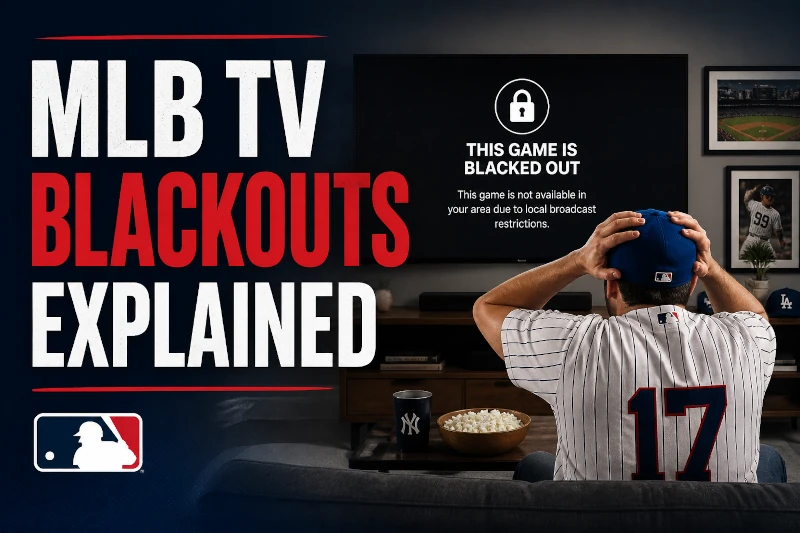
If you pay for MLB.TV but keep hitting a blackout screen when your team plays, you're in good company. Millions of baseball fans run into the same problem every season, especially when trying to watch their local team live. It's a frustrating system, and the explanation is less obvious than it should be. This guide breaks down what MLB blackouts actually are, why they exist, and what your real options are for watching the games you already pay to see.
MLB.TV + StreamLocator is the simplest fix. StreamLocator is a Smart DNS service that routes MLB.TV around blackout restrictions so the games you already pay for actually play.
An MLB blackout is a viewing restriction that prevents certain games from being shown on MLB.TV based on your location. If you're inside your team's designated broadcast territory, MLB.TV blocks the stream, even if you're a paying subscriber.
This is the moment most fans discover the difference between in-market and out-of-market viewing. Out-of-market fans can usually watch games freely on MLB.TV. In-market fans often see a blackout message instead.
For most people, the frustration comes from expectation mismatch. You subscribe to MLB.TV assuming it includes every game. Then your own team's game is unavailable because of a baseball blackout restriction tied to your location.
If you've ever asked "what does blackout mean on MLB TV?" This is it. The blackout isn't a technical error or app glitch. It's a deliberate enforcement of MLB blackout rules tied to broadcast contracts.
MLB sells local broadcast rights separately from MLB.TV. Local sports channels like NESN, SNY, Marquee Sports Network, and Bally Sports pay for exclusive rights to show games inside specific regions.
If you're inside that region, MLB.TV has to block the stream to honor those contracts. That's why the blackout exists in the first place: not because MLB.TV can't show the game, but because another broadcaster owns the local rights.
The confusing part is that blackout territories are often much larger than expected, and some areas fall into multiple teams' territories at once. If you're unsure whether you're considered in-market, you can check the MLB blackout map to see your team's territory.
Nearly every MLB team has a designated blackout territory. If you're inside it, local games are restricted on MLB.TV.
Some of the most common blackout complaints come from fans trying to watch:
National broadcasts add another layer. Games shown on ESPN Sunday Night Baseball, Fox, Apple TV+, Roku, or TBS may also be unavailable on MLB.TV regardless of location.
This means some MLB.TV subscribers can run into blackouts even when traveling or trying to watch nationally televised matchups. If you're searching for how to watch blackout MLB games, the answer usually depends on whether you're dealing with a local blackout, a national broadcast blackout, or both.
MLB.TV has an official blackout checker where you can enter your ZIP code and see which teams are restricted in your region.
This matters because blackout territories don't always follow state lines. Parts of Connecticut, Iowa, Nevada, and other regions fall into overlapping team territories.
You can also use our MLB blackout map to understand how blackout regions work and which teams are affected in your area.
StreamLocator is a Smart DNS service that routes MLB.TV around blackout restrictions, so you can watch the games you already pay for without adding another expensive live TV package.
The official solution to MLB blackouts is simple on paper: subscribe to the local sports channel that owns your team's rights.
In practice, that often means adding another monthly subscription on top of MLB.TV. Depending on your team, this may involve:
This works. But for many fans, it feels backwards. You already pay for MLB.TV. You already have the game package. Yet you're still being pushed toward another subscription just to watch your local team.
You can either stack subscriptions until you're paying three times what you expected… or make MLB.TV work the way you thought it would when you signed up.
Many fans eventually look for a workaround instead of adding another expensive subscription. This is where Smart DNS services come in.
Unlike a VPN, Smart DNS doesn't route all your internet traffic through a remote server. Instead, it only reroutes the traffic related to the specific streaming service. That distinction matters for live sports.
StreamLocator is a Smart DNS service built specifically for streaming: it handles MLB blackouts without the reliability issues that make VPNs frustrating for live baseball. Because it only reroutes the necessary streaming requests, there's less speed impact and fewer detection issues compared to VPN traffic.
VPNs are the most common thing people try first. In theory, they work by changing your IP location so MLB.TV thinks you're outside the blackout territory.
Sometimes this works temporarily. Sometimes it fails immediately. MLB.TV actively detects and blocks known VPN IP ranges, especially during live games when enforcement tightens. VPNs also add extra routing overhead, which can lead to buffering, lower video quality, or mid-game dropouts.
Many fans end up stuck in a maintenance cycle:
These can work temporarily, but MLB.TV tightens enforcement on game days, which is exactly when you need it most. If you're considering this route, see our full guide to VPNs and MLB TV.
Most MLB.TV blackout solutions fall into three categories:
The goal isn't to replace MLB.TV. It's to make it usable. MLB.TV already gives you every game. Blackouts are the only thing stopping it.
VPNs are built for privacy and encryption. That's useful for security. It's less useful for live baseball streams where stability matters more than tunneling all traffic through a datacenter IP that MLB.TV already recognizes.
Smart DNS takes a lighter approach. It reroutes only the traffic related to MLB.TV, which is why it avoids many of the detection and buffering problems that make VPNs unreliable for sports streaming.
You don't need another service. You just need MLB.TV to work properly.
StreamLocator routes MLB.TV around blackout restrictions using Smart DNS: no VPN, no bulky live TV bundle, no buffering on game day.
MLB blackouts exist because local broadcasters purchase exclusive regional rights to games. If you're inside a team's territory, MLB.TV is contractually required to block that game stream in your area.
Yes. MLB.TV blackouts are still active in 2026 for local in-market games and some nationally televised broadcasts. The rules remain tied to regional broadcast contracts.
A blackout means MLB.TV has detected that you're inside the broadcast territory for a game and is preventing access to the stream. It's a location-based restriction, not a streaming error.
Possibly, but not soon. MLB has discussed modernizing local broadcast structures, but current regional rights agreements are still in place. Until those contracts change, blackout restrictions are likely to continue.
There are unofficial streaming sites online, but they're inconsistent, low quality, and often unreliable during live games. Most fans looking for a stable solution either add another subscription or use a Smart DNS workaround with the MLB.TV subscription they already pay for.
MLB.TV is already a complete product. Blackouts are the only thing standing between you and the games you pay for.
That's why so many fans end up frustrated by the official solutions. Paying for a full cable package to watch one team doesn't feel reasonable when you already subscribe to MLB.TV.
You can either pay for multiple subscriptions… or make MLB.TV work the way you expected.
Not another streaming service. Just the one tool that makes MLB.TV work.
If you want a step-by-step walkthrough, see our guide on how to fix an MLB blackout or learn why VPNs often fail for MLB TV.


